LawBox for iOS
The Least You Need to Know.
We encourage you to read the next few paragraphs: otherwise you might find the app difficult to use.
You can always use the Info tab to pull up this information again, or to contact us. We can't respond to comments posted on the App Store, but our response time to emails is measured in lickety-splits.

When the app first installs, press the [+] button in the upper-right corner of the Index to browse the online store. Start with the free "Federal Rules" section. Your downloaded content will appear in the Index when it's finished installing.

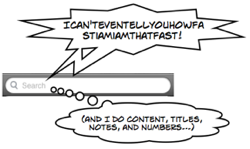
Once your codes are installed, you can select them from the Index. Using the navigator, you can drill up and down through the code, but we highly recommend the search field: even if you know exactly what you're looking for, the search is always faster.
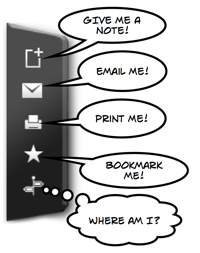
Once you've selected a statute, you can swipe left or right to page backwards or forwards through the code. Double-tapping on the screen will reveal a tool bar that will allow you to a variety of things, such as add a note, create a bookmark, or show you the location of the current statute in the code. Play around: the tools change, depending on what you're looking at.
At the bottom of the navigator is a tab bar. The Annotations tab will show you a list of cases that cite the selected statute. The Info tab will show you any important notifications, allow you to contact us, and take you to the help page on the LawBox website.

Remember: We're only an email away!